












Stop paying the
Lazy Tax on the move.
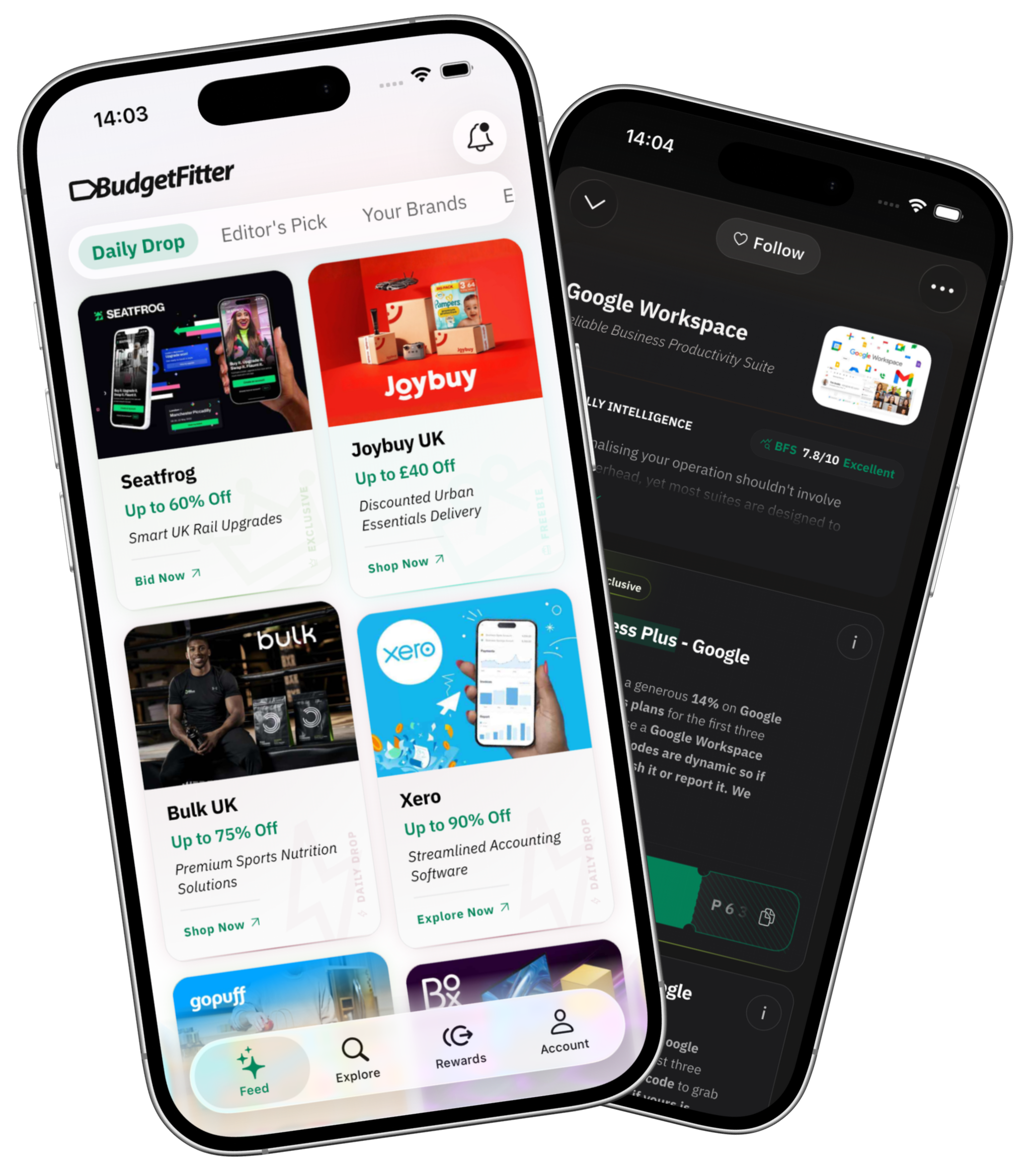
Hand-verified perks across work tools, global travel, and smart living. Real-time deal alerts, AI search, and unbought BFS trust scores — right in your pocket. Free, no credit card, zero catch.


Engineered for builders,
creators, and smart spenders.
We play the savings game more professionally than standard voucher scrapers: verified codes, instant drop alerts, unbought BFS audits, and on-demand AI intelligence.
Curated daily discounts.
Refreshed every 24 hours.
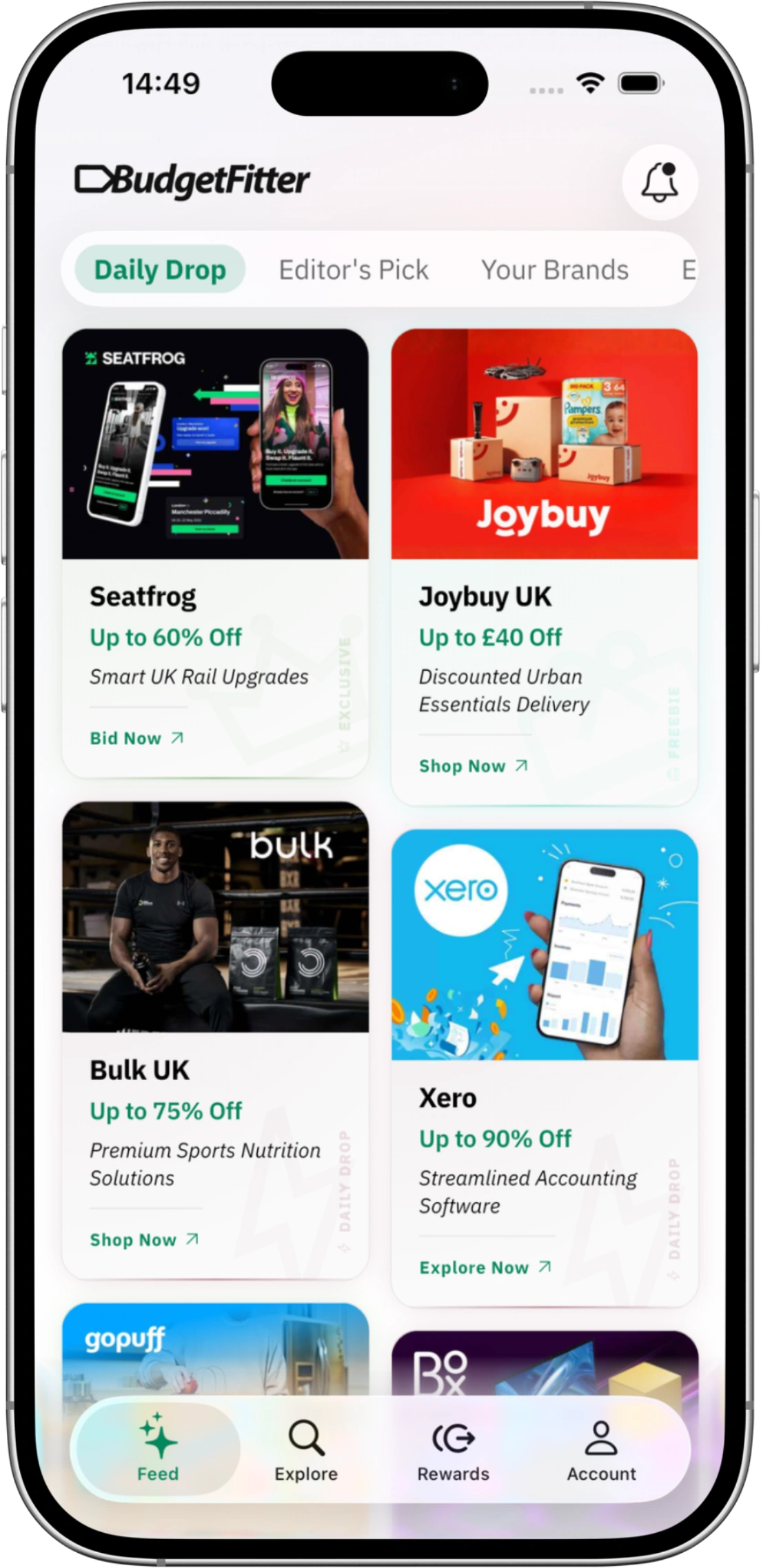
Never miss a flash perk or private voucher code again. The Daily Drop feed delivers fresh, human-verified discounts across high-performance developer software, cloud hosting, global travel, and modern lifestyle merchants every single day.
- Hand-tested flash perks & limited-time promotional vouchers
- Daily refreshed savings queue curated by our London editorial team
Curated stories & collections.
Pure savings intelligence.
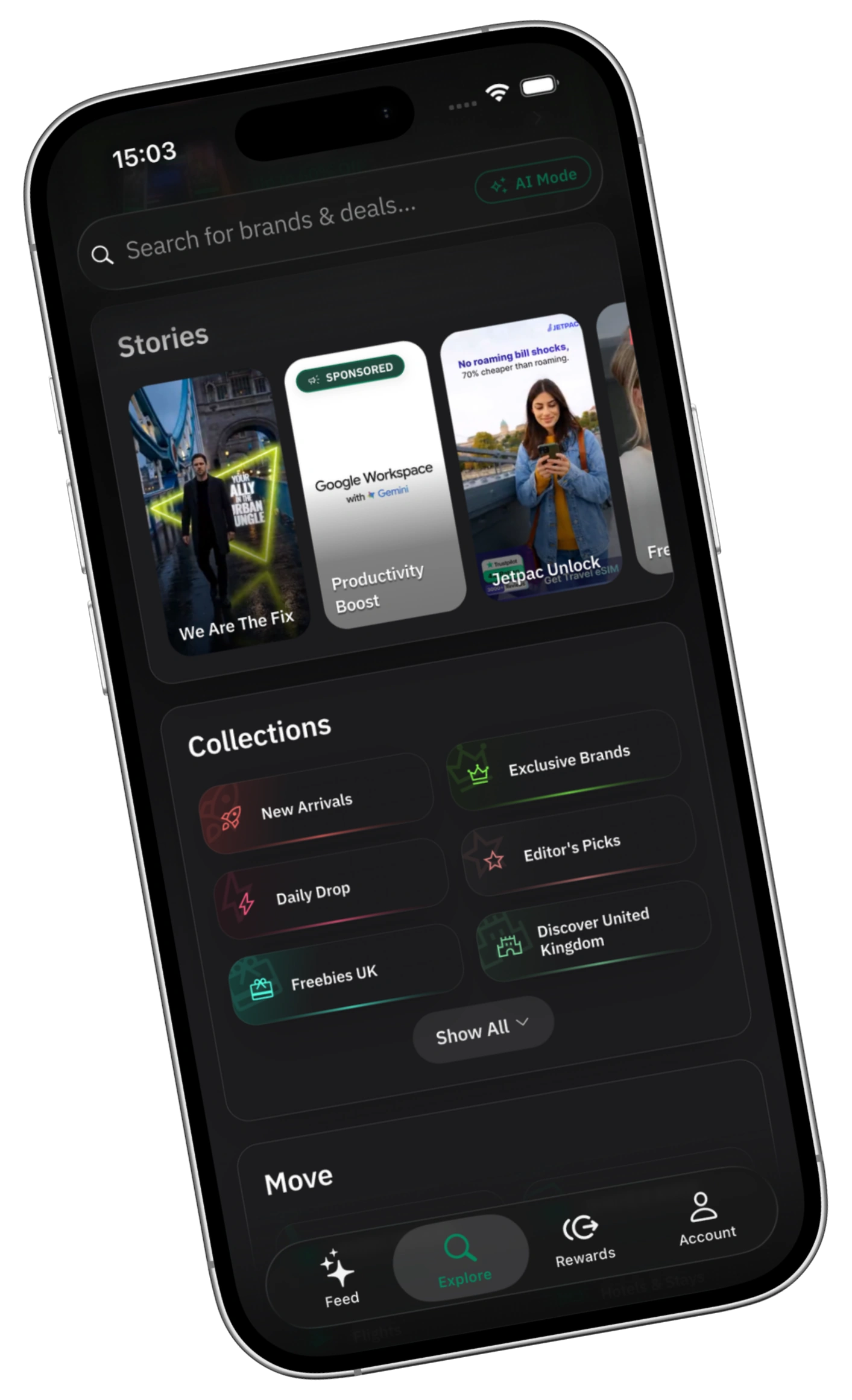
Experience a high-performance savings utility built for speed. No intrusive pop-up banner ads, no spammy tracking cookies, and native OLED dark and light modes. Explore verified merchant stories and thematic collections designed around how you actually spend.
- Visual merchant stories & curated category collections
- Distraction-free dark mode engineered for OLED displays
Follow your favourite brands.
Get instant drop alerts.
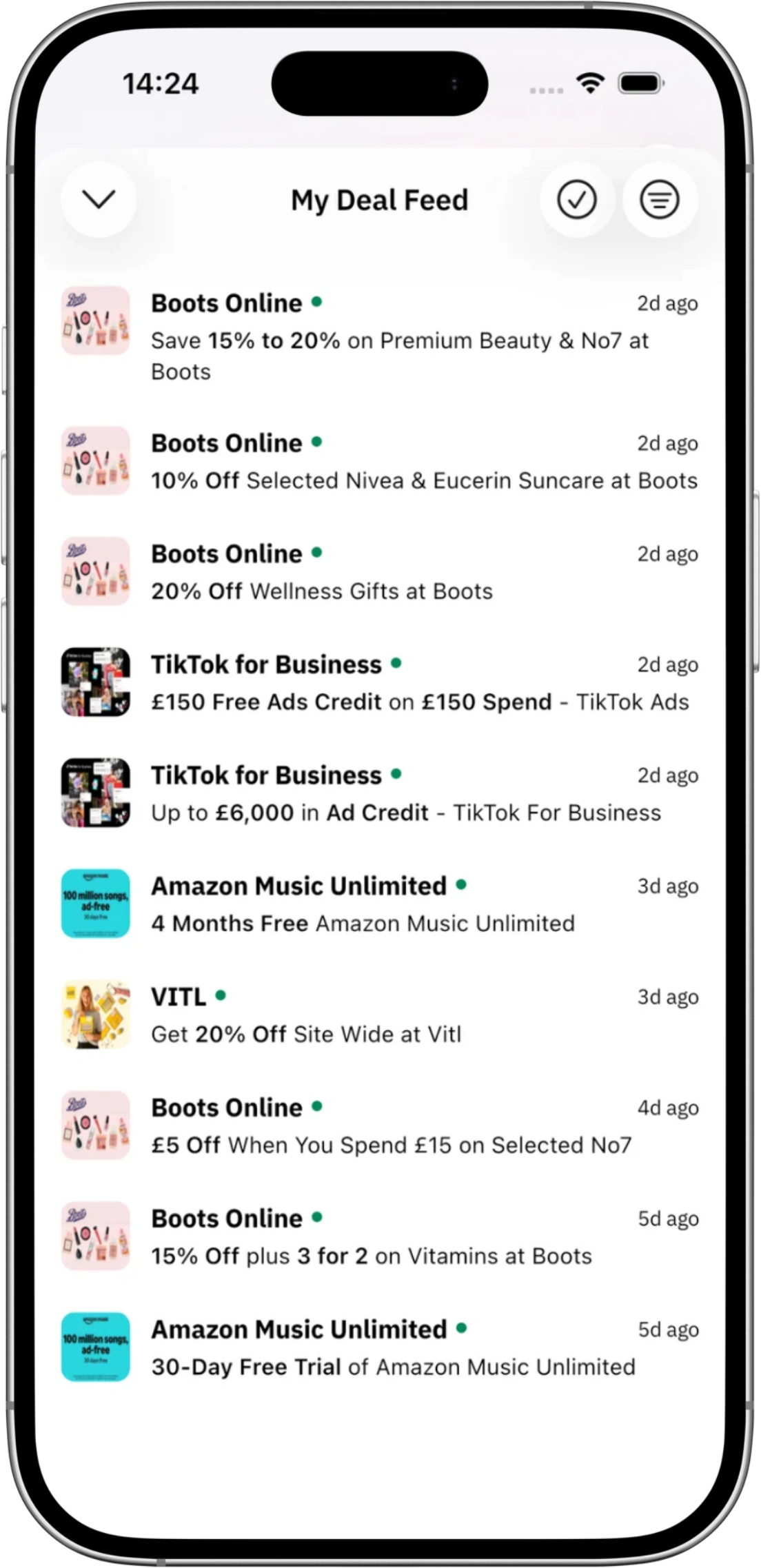
Build your personalised brand radar. Follow the developer software, airlines, and merchant brands you actually spend with. When a verified flash deal, private promo, or exclusive voucher is added, you receive a direct push alert on your device before codes hit quota limits.
- Real-time push notifications for newly verified drops
- Personalised deal feed filtered strictly by your followed merchants
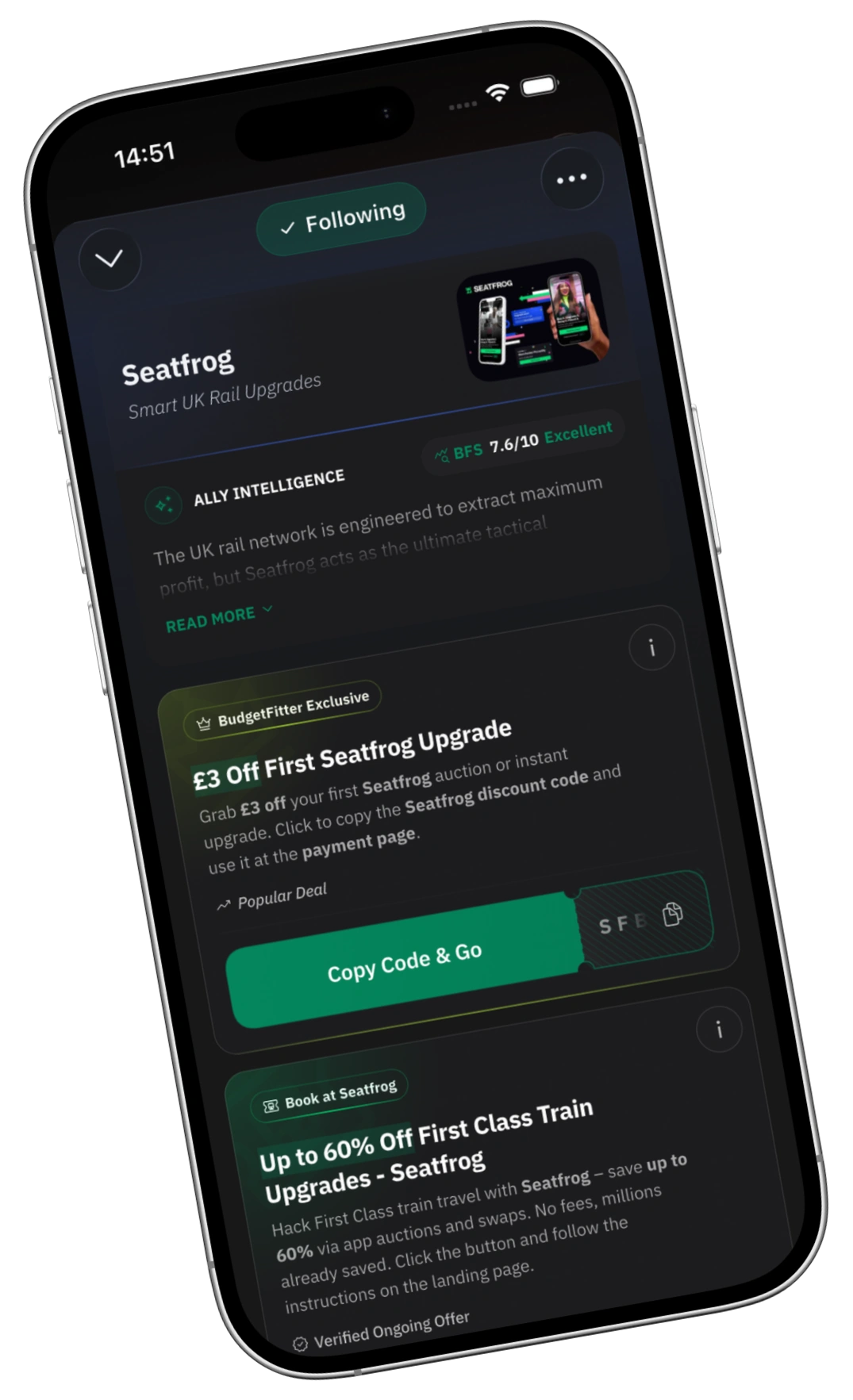
BudgetFitter Score (BFS) · Unbought, mathematical trust ratings.
Every merchant offer on BudgetFitter is independently evaluated for discount integrity, recurring renewal safety, and real checkout success. The BudgetFitter Score (BFS) cannot be sponsored or paid for—ensuring you always know which promotions are genuinely worth your money.
- 100% human-tested promotional codes before publication
- Independent 10-point audit covering subscription traps and pricing honesty
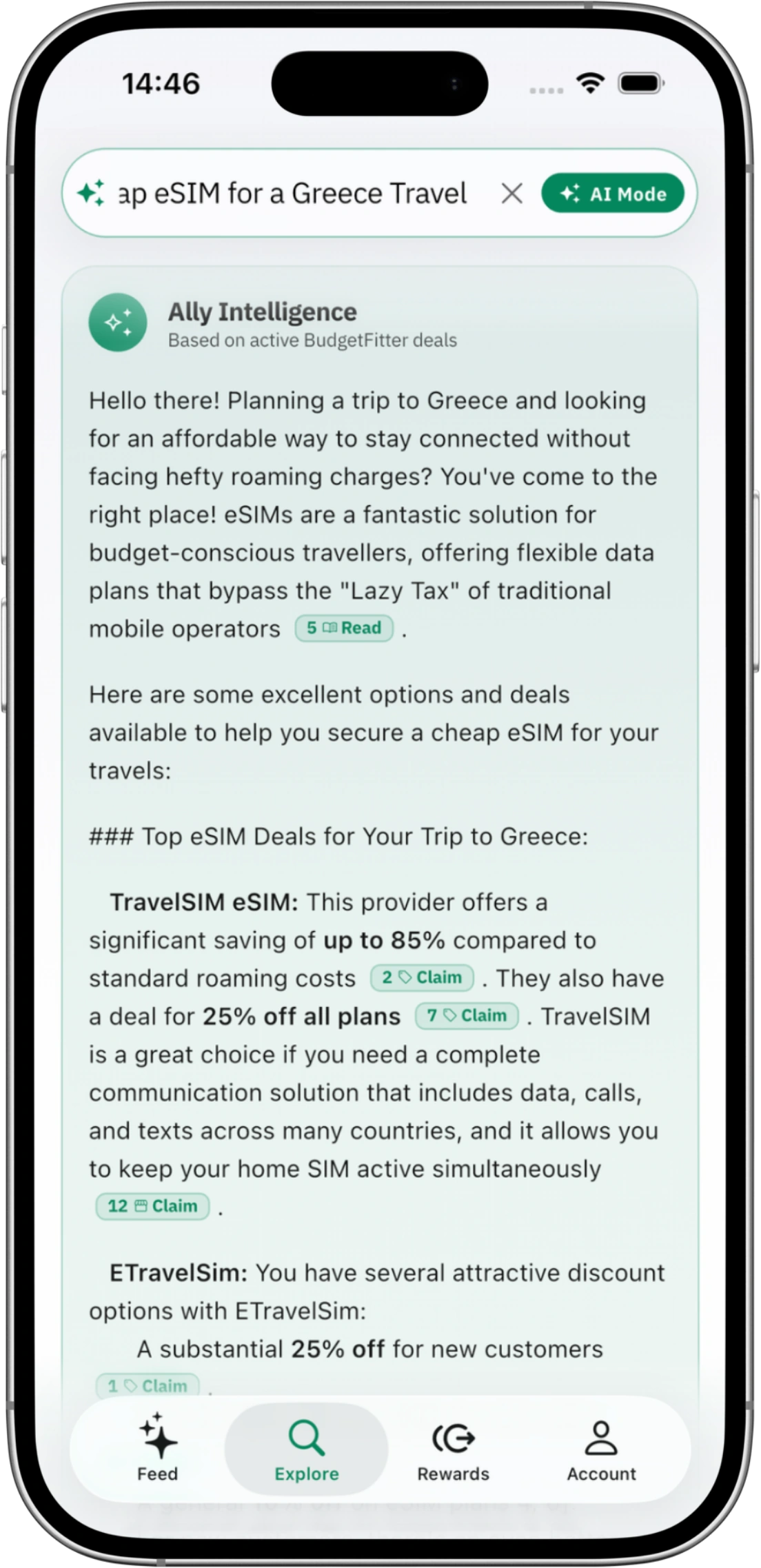
Let AI calculate the best broadband, travel, or tech deals for you.
No more endless manual searching or comparing obscure terms. Type what you need in plain English—from high-performance cloud hosting to London flights with eSIM bundles—and our semantic AI engine calculates the optimal verified discount paths instantly.
- Semantic deal matching across work tools, global travel & smart living
- Instant discount stacking and eligibility calculations
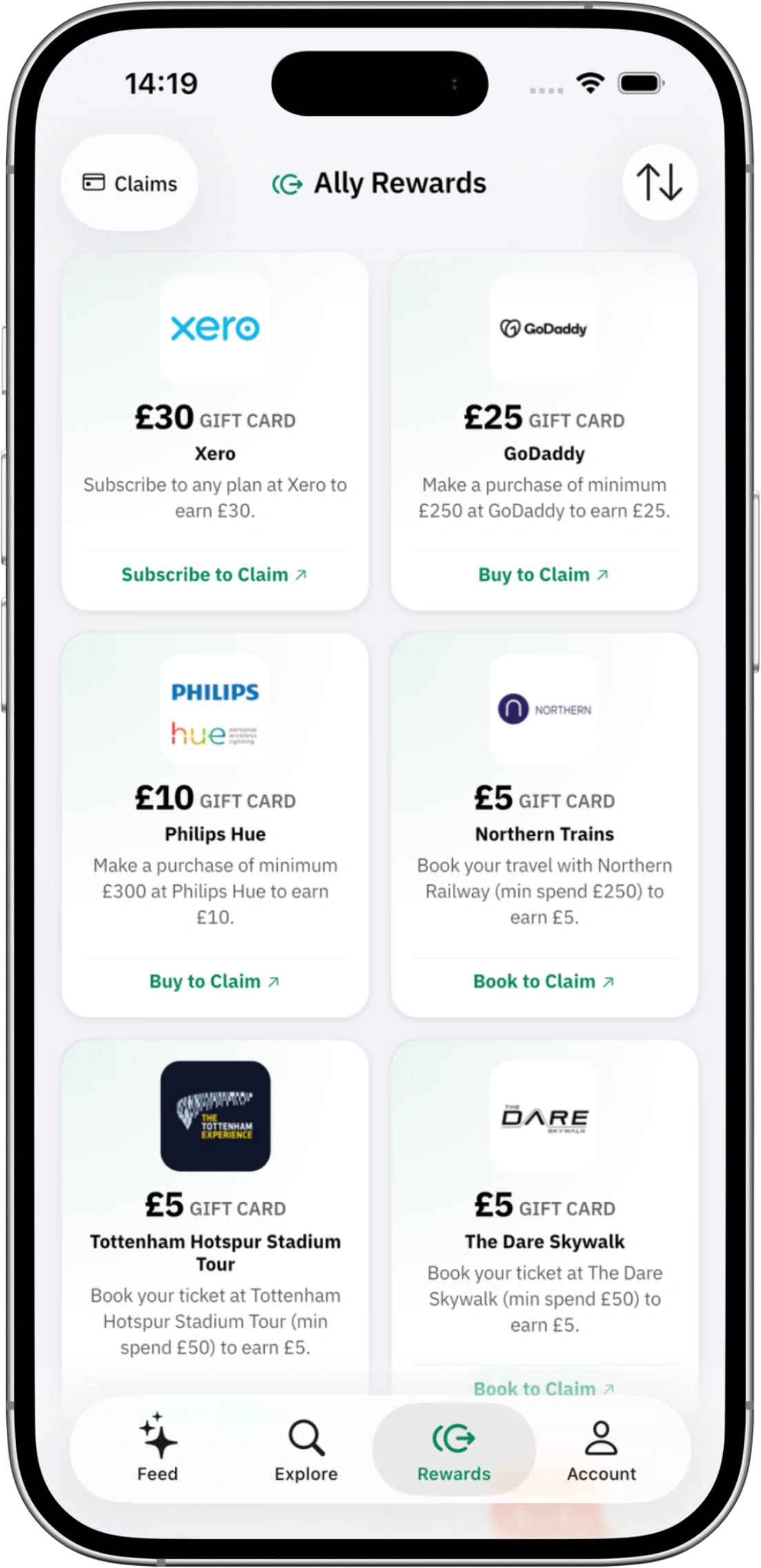
Turn verified missions into instant digital gift cards.
Why wait months for delayed cashback portals? The AllyRewards programme turns qualifying merchant purchases and brand missions into instant digital gift cards from top brands—fulfilled directly by AllyRewards to your device with zero withdrawal hurdles.
- Instant gift cards across top retail, tech, and travel partners
- Transparent mission tracking with zero minimum payout thresholds
Frequently Asked Questions
Everything you need to know about the official BudgetFitter mobile application.
Who is BudgetFitter for?
BudgetFitter is designed specifically for creators, solopreneurs, digital builders, and modern spenders who refuse to pay the “Lazy Tax” on the tools, travel, and services they rely on every day.
Because BudgetFitter was built by digital practitioners, remote operators, and frequent travellers ourselves, we understand the real friction points. We aren’t a generic coupon site filled with random fast-fashion spam — our curation is tailored around three core groups:
- Digital Creators & Solopreneurs: Anyone building modern digital projects — developers, designers, indie hackers, and freelancers looking for verified savings on cloud hosting, SaaS platforms, AI suites, business accounting, and domain infrastructure.
- Modern Explorers & Remote Professionals: Frequent travellers and digital nomads who need transparent rates on flight bookings, regional rail networks, travel eSIMs, airport lounges, and hotel stays without hidden conversion fees or renewal traps.
- Smart Households & Conscious Spenders: People who value their time and money — looking for verified deals on broadband switches, smart home tech, meal kits, gym memberships, and direct sourcing without endless spam or dead promo codes.
If you value straightforward transparency, hand-verified codes, independent BFS trust ratings, and zero checkout friction, BudgetFitter is built for you.
What is the BudgetFitter Score (BFS)?
The BudgetFitter Score (BFS) is our independent trust and quality rating for every brand on the platform. We score brands using a range of factors — deal quality and verification, the value actually delivered, reliability, and user engagement — to give you an at-a-glance signal of who’s genuinely worth your time.
You’ll find the BFS on brand pages across both the website and the app. It’s central to keeping BudgetFitter meritocratic: brands that consistently deliver real value rank higher, and those that don’t get pushed down. It’s our strongest promise on trust — no pay-to-win.
How do you choose the best deals?
We work hard to surface only the best, most relevant offers. Our collections, brand categories and home feed are curated and refreshed at regular intervals, while our Daily Drop is hand-picked fresh every single day. Combined with human verification and the BudgetFitter Score (BFS), this means the deals you see are chosen for genuine value — not just whoever bid highest.
For deeper context on bigger decisions, our editorial team also publishes hands-on reviews and buying guides in The Savings Review.
Why did BudgetFitter transition from a traditional coupon aggregator to a curated perks and software savings network?
When BudgetFitter originally launched in 2023, like many savings platforms, we listed a broad range of generic retail discounts. However, as digital practitioners, software builders, and frequent travellers ourselves, we quickly discovered that the traditional coupon aggregator model was fundamentally broken.
Most traditional voucher sites operate on low-quality automated scrapers — flooding search engines with expired discount codes, deceptive clickbait buttons, aggressive advertising pop-ups, and predatory cookie stuffing. At the same time, consumers and professionals were facing the “Lazy Tax”: quiet renewal price spikes on software subscriptions, sneaky contract tie-ins, and hidden fees across cloud hosting and travel services.
To fix this properly, we spent over 12 months conducting rigorous market research and real-world A/B testing in a dedicated sandbox project. We tracked actual checkout friction, analysed renewal churn, and studied how digital creators, developers, and travellers interact with commercial offers. That deep research proved that users don’t want 10,000 spammy listings — they want a curated, high-trust selection of verified partners that genuinely save them time and money.
Guided by these findings, we executed a transparent strategic pivot:
- Strict Merchant Gatekeeping (Zero Junk Onboarding): We no longer accept just any merchant. We actively reject low-trust aggregators, predatory subscription models, and unverified discount scrapers. Every listed brand must pass our editorial standards.
- Refocused on 5 Core Action Pillars: We concentrated our editorial curation where recurring expenses and contract traps are highest: Create & Build (cloud infrastructure, hosting, developer tooling), Scale & Manage (SaaS platforms, AI suites, business operations), Travel & Explore (flights, trains, eSIMs, airport lounges), Live & Thrive (health, smart tech, broadband), and Global Marketplaces.
- Introduced the BudgetFitter Score (BFS): We built an independent, algorithmic trust rating (0–100) on every brand page that evaluates pricing honesty, cancellation transparency, and real checkout value. BFS scores are 100% independent and can never be bought or sponsored.
- Tailored for Practitioners & Smart Spenders: We structured our ecosystem for software developers, digital creators, AI solopreneurs, remote workers, and conscious spenders who need verified factsheet data, API/MCP connectivity, and zero checkout friction.
Today, BudgetFitter is proud to stand as an independent consumer savings watchdog — eliminating the Lazy Tax through hand-verified partner rates, transparent merchant teardowns, and actionable buying guides.
What is AI Mode and how does it work?
AI Mode is a smarter way to search, available on both the website and the app. Toggle it on in the search bar and ask for what you want in plain English — for example, “I’m buying a Samsung phone, where’s the best discount?” Our Ally Intelligence engine understands the intent behind your question and returns a personalised shortlist of the most relevant verified deals, instead of a plain keyword match. It turns the search box into a savings co-pilot.
Can I set a reminder for a deal?
Yes. Both the website and the app let you add a calendar reminder for a deal, so you never miss the moment that matters. Planning a trip, a big purchase, or a train booking a few weeks out? Set a reminder — “remind me in 1 month” — and we’ll nudge you to check back for the best live offers when the time comes. It’s a simple way to make sure the Lazy Tax never catches you off guard.
Do I need the same account for the app, website, and extension?
We use a unified sync membership system, which allows you to log in and use the same account across both our website and mobile app, syncing your followed brands, deal reminders, and reward claims automatically.
The browser extension is a completely independent product that does not require or use an account; it works locally in your browser to check for deals. You do not need a BudgetFitter account to use the extension, nor do you need one to browse the website anonymously.
What is the difference between following a brand on BudgetFitter and bookmarks in the extension?
Following a brand is tied directly to your BudgetFitter account and syncs across both our website and mobile app, adding that brand’s deals to your unified Deal Feed. If you use the mobile app, following a brand also enables instant push notifications on your phone for new deal drops.
The Bookmark feature in the browser extension is stored locally in your browser, providing you with quick access to your favourite shops directly from your web browser while shopping on your computer.
Where can I download the BudgetFitter app?
The BudgetFitter app is completely free — no credit card required — for both iOS and Android. Just search for “BudgetFitter” in the Apple App Store or the Google Play Store and tap install.
Does the app work on both phone and tablet?
Yes, our app is optimised for a seamless experience on both phones and tablets, so you can save comfortably on any device.
Why should I create a BudgetFitter account?
Creating a free BudgetFitter account unlocks our most powerful savings features across both our website and mobile app:
- Unified Deal Feed — follow your favourite brands on the web or in the app and see all their latest verified deals in one tailored feed.
- Ally Rewards — participate in our cashback programme, submit proof, and track your claims in real time on both web and app.
- Calendar Reminders — flag deals to revisit so you never miss the right moment to buy, synced across all your devices.
- On-the-Go Experience (App Only) — download the mobile app to receive instant push alerts when new deals drop, ensuring you never miss a discount when you’re out and about.
How do I manage or turn off notifications?
You’re always in control of your alerts. In the app, go to Settings to manage your notifications — fine-tune which push alerts you receive (for example, only deals from brands you follow) or switch them off entirely. You can manage your newsletter subscription from the same place.
What are the benefits of enabling push notifications?
Push notifications are the fastest way to hear about new savings. When you enable them, we send an instant alert to your phone the moment a new deal drops from a brand you follow. This is especially useful for flash sales or limited-time offers that you might otherwise miss.
What is the Deal Feed and how do I follow brands?
Your Deal Feed is your personal, curated stream of deals from the brands you follow. You can follow brands on both our website and our mobile app by tapping the heart/follow icon on any brand page. Once followed, that brand’s latest verified offers will show up in your Deal Feed on both platforms automatically.
While you can manage and view your followed brands on either the web or mobile app, downloading the app is required if you want to receive instant push notifications and alerts when a new deal drops, or for pocket on-the-go savings. Following brands on the web will update your feed but won’t trigger web notifications.
How do I log in securely with Biometric (Face/Touch ID)?
For your convenience and security, our app supports biometric login. After you have signed in once with your email, Google, or Apple account, you will be prompted to enable Face ID or Touch ID (depending on your device). Once enabled, you can access your account quickly and securely without needing to type your password.
Will I be subscribed to the newsletter when I create a BudgetFitter account?
Yes, when you create a free BudgetFitter account on either our website or our mobile app, you are automatically subscribed to the weekly Fitter Newsletter so you don’t miss out on exclusive codes and verified deal drops.
If you’d rather not receive emails, you can easily opt out at any time from your account Settings. If you had previously subscribed to the newsletter on the website before creating an account, everything will automatically merge into your new profile.
What happens if I delete my account?
Deleting your account removes your personal data and account information from our systems. Any Ally Rewards claims tied to the account — including their history — are deleted too, so make sure you’ve redeemed any gift cards before you go.
Your newsletter subscription is the one thing you can keep: when you start the deletion, we ask whether you’d like to stay subscribed, so the choice is entirely yours.
What are FitterTools?
FitterTools are BudgetFitter’s suite of smart savings technology and curated intelligence designed to help you beat the Lazy Tax. Rather than just giving you a discount code, FitterTools empower you to make smarter, more confident purchasing decisions across all areas of spending.
The FitterTools suite includes:
- Browser Extension: Instantly alerts you to verified codes at checkout.
- Mobile App: Your pocket savings hub with push alerts and a custom Deal Feed.
- Quizzes: AI-powered interactive guides that match products (broadband, mobile, eSIMs) to your exact needs.
- PriceFit: Multi-provider price comparison engines (coming soon).
- Reviews: Unfiltered product teardowns and expert brand analyses.
- The Fitter Newsletter: Weekly curated briefings, hacks, and exclusive discount codes.
How do I contact support or get help?
We’re here to help. For general questions, head to our Contact Us page and our team will get back to you.
For specific issues, the fastest routes are:
- Ally Rewards: Use the in-app ‘Report an Issue’ option on your claim — it’s tracked and prioritised.
- A deal or code: Hit the Report button on the deal card to flag it straight to our team.
App users also receive priority support on reward-tracking enquiries.
Ready to beat the Lazy Tax?
Join thousands of digital builders, remote founders, and smart spenders discovering verified perks every single day.
*¹ Operational Disclosure & Commercial Independence: BudgetFitter® is an independent consumer perks directory and commercial intelligence platform. We are not a bank, lender, or financial service provider. All offers, discount codes, and voucher redemptions are subject to the third-party merchant's standard terms of service.
*² BudgetFitter Score (BFS) Disclaimer: The BFS is an editorial and algorithmic assessment of brand trustworthiness and discount transparency. It does not constitute investment, financial, or legal advice.
*³ AllyRewards Availability: Instant digital gift card disbursements via AllyRewards are currently accessible to UK residents only. Standard mission verification rules apply.

