




Valid exclusively on qualifying annual subscription plans at Movavi when the promotional code is applied at checkout. Cannot be combined with other ongoing offers, coupons, or enterprise agreements. Subject to standard Movavi software licence terms.
Movavi Discount Code
Desktop Video Editing and Multimedia Suite for Creators
Movavi: Up to 80% Off Movavi Unlimited • Updated for November 2026
Movavi Deals & Discounts
We verify every offer. When you buy through our links, we may earn an affiliate commission.
Learn more
Discount applies automatically to qualifying Cyber Monday bundles. Includes 3 months complimentary access to the 11-lesson Movavi Guide video editing course. Subject to availability and standard merchant licensing terms.
Cyber Monday
Up to 55% Off Video Software Bundles at Movavi
Valid on Movavi Unlimited annual and lifetime bundle purchases made through the official promotional page. Includes the video editor, screen recorder, photo editor, and converter. Subject to Movavi promotional and software licence terms.
Up to 80% Off Movavi Unlimited Software Bundle
Valid on PDFChef by Movavi software downloads and desktop subscriptions for Windows and macOS. Feature access, trial periods, and renewal options are governed by standard developer licence terms.
Partner Perk · PDFChef
Edit, Merge & Convert PDFs with PDFChef
BF Intelligence
OFFICIAL MOBILE APP · iOS & ANDROID
Follow Movavi. Stop paying the Lazy Tax.
Follow Movavi for instant drop alerts and human-verified voucher codes. Access BF Intelligence, your cloud-synced Personal Vault, FitterPass Circle, and Daily Coffee briefings — free on iOS and Android.



Scan to install

Movavi at a Glance
Verified merchant background, operating reach and consumer facts.
Origin & Heritage
2004 · Limassol, Cyprus & St. Louis, Missouri (Founded by Alexander Dubrovin & Natalia Khudiakova)
Parent Group
Movavi Software Limited
Geographic Scope
UK & Worldwide Across 190+ Countries (Windows 11, Windows 10 & macOS)
Network & Presence
Global Multimedia Ecosystem Serving Over 70 Million Content Creators
Primary Audience
YouTubers, Vloggers, Educators, Video Podcasters & Social Media Editors
Customer Support
24/7 Digital Support Desk, Video Knowledge Base & [email protected]
Accepted Payments
Visa, Mastercard, American Express, PayPal, Klarna & Apple Pay
Fulfilment & Access
Instant Digital Software Licence Key Delivery & Free Evaluation Download
Licensing & Protection
30-Day Money-Back Guarantee, Microsoft & Apple Developer Notarised
7.1
/ 10
Good
BudgetFitter Score
BudgetFitter Score: Movavi
An independent benchmark of trust, value and demand — built from first-party insights, user sentiment and external search signals.
Trust & Authority
6.2
Value & Exclusivity
7.9
Popularity & Demand
7.3
BF Intelligence
Technical & Security
Website Authority
OpenPageRank
·
A (Trust)
·
Weight ×2
3.46
3.5 / 10 (last successful)
Domain Stability
RDAP Registry
·
A (Trust)
·
Weight ×2
10.00
Advanced HTTPS Security
Cloudflare Radar
·
A (Trust)
·
Weight ×1
2.00
Domain Rating (DR)
Ahrefs
·
C (Popularity)
·
Weight ×3
8.20
Domain Rating: 82.0 / 100
Global Traffic Rank
Cloudflare Radar
·
C (Popularity)
·
Weight ×2
6.50
BudgetFitter Platform
Deal & Coupon Activity
BudgetFitter
·
B (Value)
·
Weight ×5
7.90
4 active promotions
Platform Traffic Demand
BudgetFitter Web
·
C (Popularity)
·
Weight ×1
7.13
Better than 43% of brands (cumulative)
Follower Demand
BudgetFitter App
·
C (Popularity)
·
Weight ×1
5.14
Better than 39% of brands (cumulative)
Community Rating
BudgetFitter Community
·
C (Popularity)
·
Weight ×1
9.40
4.7 / 5
(13 ratings)
Rate
Exclusive Partner Bonus
BudgetFitter
·
B (Value)
·
Weight ×1
Eco-Friendly & B Corp Bonus
BudgetFitter
·
A (Trust)
·
Weight ×1
Brand Popularity & Demand
Trustpilot Rating
Trustpilot
·
A (Trust)
·
Weight ×4
UK Search Demand
Google Trends
·
C (Popularity)
·
Weight ×4
Global Search Demand
Google Trends
·
C (Popularity)
·
Weight ×3
Disclaimer: The BudgetFitter Score (BFS) is an informational algorithmic estimate based on internal and third-party signals. Refreshed on a rolling basis using internal and external trust and demand signals — this also enables us to identify low-rated brands and stop promoting them for your safety. BFS scores are fully independent — no brand can sponsor, advertise, or pay to influence their rating. Not financial, legal or investment advice.
Alternatives to Movavi
Explore similar partner brands and compare rates, features and BFS trust ratings.












Related Categories
Founded in 2004 by software developers Alexander Dubrovin and Natalia Khudiakova, Movavi is an international multimedia software powerhouse trusted by more than 70 million video creators, educators, vloggers, and remote professionals across 190 countries. Combining pro-level desktop video editing with an intuitive timeline interface across Windows 11 and macOS, Movavi provides standalone software applications from £39.95 alongside the flagship all-in-one Movavi Unlimited creative ecosystem.
Whether producing high-definition 4K YouTube tutorials, recording multi-stream screen webinars with live webcam overlays, converting 180+ media formats with lightning-fast GPU acceleration, or applying AI background removal without green screens, using a verified Movavi Discount Code unlocks promotional savings of up to 80% off software bundles. Our creative software testing at BudgetFitter confirmed that Movavi backs all digital purchases with a 30 days money-back guarantee, allowing creators to test rendering workflows risk-free within 24 hours of purchase.
AI-Powered Video Editing, 180+ File Formats & Screen Recording
Movavi bridges the gap between complex Hollywood editing suites and basic mobile clipping tools:
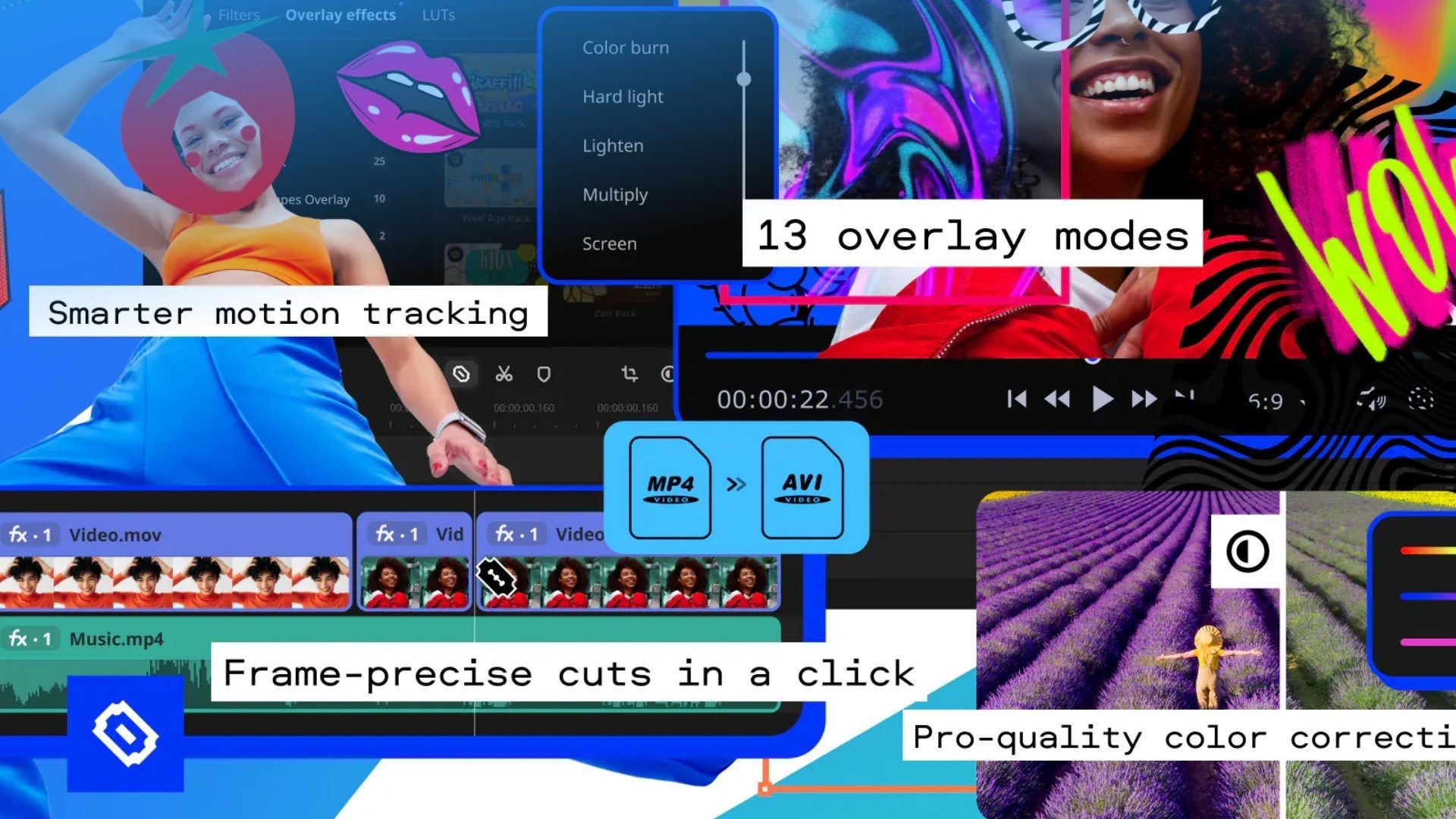
- Intelligent Artificial Intelligence Editing Tools: Remove distracting background noise, generate automatic subtitles, track moving objects, and isolate human subjects from complex video backgrounds in a single click.
- Comprehensive Movavi Video Converter: Convert across 180+ video, audio, and image formats—including MP4, MOV, MKV, AVI, and RAW—with zero quality degradation using Intel, AMD, and NVIDIA NVENC hardware acceleration.
- High-Definition Screen & Audio Recorder: Capture system audio, microphone commentary, keystrokes, and webcam video simultaneously at up to 60 frames per second.
- Expansive Movavi Effects Store: Enhance video timelines with thousands of designer titles, animated transitions, stickers, LUT colour profiles, and royalty-free background soundtracks.
- Perpetual Lifetime Ownership Options: Unlike subscription-only creative ecosystems, Movavi allows users to purchase perpetual standalone licences for permanent software utility from £39.95.
Movavi vs Competing Desktop Video Suites (Corel VideoStudio, WeVideo, CyberLink)
Compare rendering speeds, licence flexibility, and feature accessibility across desktop video software:
| Video Suite & Developer | Licensing Options Available | AI Automation & Effects Store | Key Creator Advantage |
|---|---|---|---|
| Movavi (Creator Multimedia Hub) | Perpetual Licence & Annual Subscription | AI Background, Subtitles & Noise Removal | Gentle learning curve, perpetual licences & up to 80% off discount code savings |
| Corel VideoStudio (Pro Editor) | One-Off Perpetual Purchase | Multi-Camera & Stop Motion Tools | Robust multi-cam editing, though interface can feel complex for beginner vloggers |
| WeVideo (Cloud Video Platform) | Tiered Annual Subscription Only | Cloud Storage & Stock Media Library | Browser-based collaborative timeline, but requires constant high-speed internet |
| CyberLink PowerDirector (Fast Suite) | Annual 365 Subscription & Perpetual | Extensive Stock Asset Bundling | High rendering speeds, but heavily pushes recurring annual subscriptions |
Consumer Watchdog Guide: Perpetual Licences vs Subscriptions, GPU Acceleration & Effects Store
Choose the ideal software licence and protect your budget with these practical recommendations from BudgetFitter’s software specialists:
- Decide Between Perpetual Licences and Annual Subscriptions: If you prefer paying once without recurring fees, choose the Perpetual Licence; if you want continuous major annual version updates and full Effects Store access, the Movavi Unlimited annual pass delivers superior long-term value.
- Enable Hardware Acceleration in Settings: Activate NVIDIA NVENC, Intel QuickSync, or Apple Silicon hardware acceleration inside the preferences menu to increase 4K video rendering speeds by up to 400%.
- Utilise the 7-Day Evaluation Period Before Purchasing: Test the software on your desktop across 7 days to ensure hardware compatibility with your graphics card and export pipelines before entering payment details.
- Review Effects Store Auto-Renewals: Subscribing to the Effects Store can involve recurring annual billing; check your account settings to manage renewal preferences according to your production schedule.
- Take Advantage of the 30-Day Money-Back Guarantee: All orders placed directly on movavi.com include a 30 days refund window if technical issues prevent smooth video exports.
Step-by-Step Guide: Purchasing Video Software with a Movavi Discount Code
Acquire your creative video suite and apply your promotional savings in five simple steps:
- Select Software Package: Visit movavi.com and choose Video Editor, Video Suite, or Movavi Unlimited.
- Choose Platform & Licence: Select your operating system (Windows or macOS) and pick between Perpetual or Subscription.
- Apply Promotional Code: Tick the voucher/voucher code box on the cart screen and enter your verified promotional discount code.
- Complete Checkout: Enter your billing information and pay securely via credit card, PayPal, or Klarna.
- Activate & Launch: Download your installer and enter your digital licence key received via email to unlock full 4K exporting.
Complementary Productivity Apps, E-Signatures & Creator Infrastructure
To discover more savings across design, video & stock media, explore BudgetFitter’s canonical Design, Video & Stock Media Hub. Shoppers and professionals investing in Movavi can also optimise everyday value with verified complementary lifestyle and workflow partners, including XP-Pen for professional studio recording and creator hardware, Nouswise for generative AI video and content workflows, VistaPrint for bespoke merchandise printing and packaging solutions, Tapo for ergonomic desk setups and lumbar support. and SmallRig for professional camera cages, mounting rigs, and creator video studio accessories.
Frequently Asked Questions about Movavi
Clear answers on Movavi voucher codes, checkout terms, and verified savings.
How do I redeem a Movavi discount code on my software order?
To claim promotional savings on Movavi, visit movavi.com, choose your software package (such as Video Editor, Video Suite, or Movavi Unlimited), proceed to the checkout cart, tick the voucher code checkbox, and enter your promotional discount code to apply instant savings.
What is the difference between a Movavi Perpetual Licence and Annual Subscription?
A Perpetual Licence gives you permanent, lifetime ownership of the specific version purchased with minor maintenance updates, whereas an Annual Subscription includes all major annual version upgrades and ongoing feature releases.
What programmes are included in the Movavi Unlimited bundle?
Movavi Unlimited bundles the full creative desktop suite: Video Editor, Photo Editor, Screen Recorder, Video Converter (supporting 180+ formats), and unrestricted 1-year access to the Movavi Effects Store asset library.
Which AI tools are built into Movavi Video Editor?
Movavi integrates AI-powered video tools including one-click smart background removal without green screens, AI motion tracking, automatic subtitle generation, vocal isolation, and background noise removal.
What refund policy does Movavi provide on digital purchases?
Movavi backs all digital software purchases with a comprehensive 30-day money-back guarantee if you experience technical issues that cannot be resolved by support.