






30% Off CapCut Pro Monthly & Yearly Plans
Slash 30% off CapCut Pro monthly & yearly plans. Click to copy the CapCut discount code and redeem at the subscription start page.
 Partner of the Month: Commercial Partner: Google Workspace: Google Workspace is our featured commercial partner for this placement. When this disclosure is absent, featured products and brands are evaluated solely through our independent editorial standards and cannot be bought.
Save up to 15% on Google Workspace with custom business email & Gemini AI
Partner of the Month: Commercial Partner: Google Workspace: Google Workspace is our featured commercial partner for this placement. When this disclosure is absent, featured products and brands are evaluated solely through our independent editorial standards and cannot be bought.
Save up to 15% on Google Workspace with custom business email & Gemini AI
AI Video Editor and Creative Post-Production Suite
Slash 30% off CapCut Pro monthly & yearly plans. Click to copy the CapCut discount code and redeem at the subscription start page.
Grab an extra 7-day free trial on CapCut Pro premium features. Click to copy the CapCut discount code - auto applies at the subscription start page.
Grab 50% off your first month of Pippit by Capcut. Click to copy the Pippit discount code and redeem at the subscription start page.
Sign up to an eligible CapCut package on a qualifying contract to earn Up to £12 Reward.
COMMERCIAL INTELLIGENCE APP
Follow CapCut and get real-time commercial intelligence on new drops. Personalised deal feeds, calendar reminders, and AllyRewards tracking — built for discerning digital builders. No credit card, no spam.




Verified merchant background, operating reach and consumer facts.
An independent benchmark of trust, value and demand — built from first-party insights, user sentiment and external search signals.
Disclaimer: The BudgetFitter Score (BFS) is an informational algorithmic estimate based on internal and third-party signals. Refreshed on a rolling basis using internal and external trust and demand signals — this also enables us to identify low-rated brands and stop promoting them for your safety. BFS scores are fully independent — no brand can sponsor, advertise, or pay to influence their rating. Not financial, legal or investment advice.
Explore similar partner brands and compare rates, features and BFS trust ratings.
Related Categories
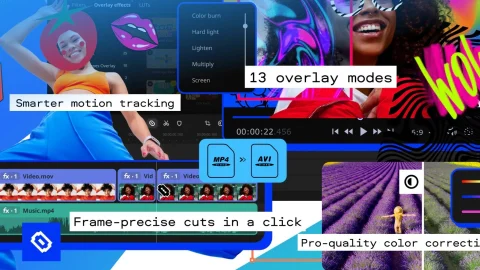
Producing studio-grade vertical video content, generating automated viral subtitles, and applying advanced AI visual effects without paying exorbitant monthly subscription fees or mastering complex non-linear editing software is effortless when activating a verified CapCut Discount Code or unlocking an exclusive CapCut Promo Code. Developed by global technology pioneer ByteDance Ltd (the creative powerhouse behind TikTok) and originally launched as JianYing before expanding internationally in 2020 from dual headquarters in Singapore and Los Angeles, CapCut has transformed into the world’s leading all-in-one video editing and creative suite, powering over 500 million active creators across 180+ countries and 30+ languages.
Whether you are creating high-retention TikTok clips, editing cinematic YouTube documentaries in 4K at 60fps, or producing high-converting e-commerce social advertisements alongside sister platform Pippit AI, BudgetFitter’s digital creative software analysts continuously track active promo vouchers, 7-day free trial periods, and annual subscription discounts saving up to 30% to 50% off standard list prices to ensure creators maximise production quality at minimal cost.
CapCut combines intuitive timeline multi-track editing with state-of-the-art machine learning tools:
BudgetFitter’s software specialists analyzed CapCut’s pricing tiers to help creators budget effectively:
| Subscription Tier | Monthly Rate | Annual Rate (Save 30% to 50%) | Included Pro Post-Production Features |
|---|---|---|---|
| CapCut Free Tier | £0 / month | £0 / year | Basic multi-track editing, standard filters, 1080p exports & basic audio library. |
| CapCut Pro Monthly | £7.99 / month | N/A | Full AI Pro toolset, auto captions, 4K 60fps exports, 100GB cloud storage & VIP effects. |
| CapCut Pro Annual Plan | £6.25 / month equivalent | £74.99 / year (With Promo) | All Pro features, 7-day free evaluation trial, priority AI rendering & commercial audio licences. |
BudgetFitter’s creative media team compared CapCut Pro against legacy non-linear video editors:
| Feature Benchmark | CapCut Pro Suite (With Promo) | Traditional Professional NLE Software |
|---|---|---|
| Automated AI Workflows | Instant Auto-Captions, Cutout & Audio Fix | Manual Keyframing & Third-Party Plugins Required |
| Cross-Platform Project Sync | Seamless Cloud Sync (Mobile, Desktop, Web) | Local Project Files Locked to Dedicated Desktops |
| Commercial Music Library | Direct TikTok & Royalty-Free Commercial Tracks | Requires Separate Stock Music Licensing (£15–£50/track) |
| Annual Software Cost | £74.99 / year (£6.25/mo Rate) | High Subscription Fees (£240 to £500+ Annually) |
| Export Resolution & Speed | Hardware-Accelerated 4K 60fps Rendering | Heavy System Resource Drain on Standard Laptops |
Creators and digital marketers operating within the ByteDance creative ecosystem frequently leverage both CapCut and sister tool Pippit AI to streamline social media workflows. While CapCut excels as an all-in-one timeline video editor for vloggers, educators, and social media influencers, Pippit AI specializes in automated, prompt-driven e-commerce product video generation from simple URLs and catalogue images. For an in-depth operational breakdown between both platforms, read BudgetFitter’s editorial CapCut vs Pippit AI comparison guide.
To produce high-converting digital video content while minimising software expenses, follow these strategic editing techniques:
BudgetFitter’s consumer watchdog team highlights essential billing and operational factors before subscribing to CapCut Pro:
Upgrade to professional AI video editing in four straightforward steps:
Expand your content creation toolkit by exploring BudgetFitter’s curated Design, Video & Stock Media Hub. Pair your video editing workflow with verified savings across our trusted partner network: automate e-commerce social video ads with sister brand Pippit AI, manage multi-currency international creator brand deals and sponsor payouts via OBSBOT, host your creator portfolio and staging site with ImagineArt AI, upgrade rail travel to First Class for mobile editing on the move using VistaPrint, earn rewards on camera equipment purchases with American Express, and print bespoke studio backdrops and event signage through BannerBuzz UK.
Claim the verified CapCut discount codes and promo offers above to upgrade your video content and save on AI editing tools today.
Clear answers on CapCut voucher codes, checkout terms, and verified savings.
Sign in to CapCut on web or desktop, select the Pro annual subscription, and enter your promotional discount code in the payment checkout to activate up to 50% off.
Yes, CapCut Pro provides a 7-day free trial on annual plans, allowing full access to AI tools, auto captions, and 4K exports before billing starts.
CapCut Pro exports watermark-free video files up to 4K resolution (3840x2160) at 60 frames per second with high bitrate customisation.
While CapCut is an all-in-one multi-track video editor for content creators and filmmakers, sister tool Pippit AI focuses specifically on automated AI e-commerce product video generation from product URLs.
While standard TikTok tracks are for personal use, CapCut includes a dedicated Commercial Audio Library with cleared licences for monetised and corporate videos.
In-depth articles related to CapCut and similar brands.
Content Blocker Detected: To ensure your discounts for CapCut apply and our reward tracking system function correctly, please pause your ad blocker or privacy extension for BudgetFitter.