











AllyRewards
Up to £16 Exclusive AI Photo Editing Reward on PicWish AI
Purchase an eligible PicWish AI photo editing subscription or credit package of £40 or more to earn Up to £16 Reward after account activation.
 Partner of the Month: Commercial Partner: Google Workspace: Google Workspace is our featured commercial partner for this placement. When this disclosure is absent, featured products and brands are evaluated solely through our independent editorial standards and cannot be bought.
Save up to 15% on Google Workspace with custom business email & Gemini AI
Partner of the Month: Commercial Partner: Google Workspace: Google Workspace is our featured commercial partner for this placement. When this disclosure is absent, featured products and brands are evaluated solely through our independent editorial standards and cannot be bought.
Save up to 15% on Google Workspace with custom business email & Gemini AI
AI Photo Editing & Background Removal Suite
Purchase an eligible PicWish AI photo editing subscription or credit package of £40 or more to earn Up to £16 Reward after account activation.
Grab PicWish Pro with 3-day free trial, then $59.99/yr for 100 HD downloads/day and 450 credits. Click the button and follow the instructions on the landing page.
COMMERCIAL INTELLIGENCE APP
Follow PicWish AI and get real-time commercial intelligence on new drops. Personalised deal feeds, calendar reminders, and AllyRewards tracking — built for discerning digital builders. No credit card, no spam.




Verified merchant background, operating reach and consumer facts.
An independent benchmark of trust, value and demand — built from first-party insights, user sentiment and external search signals.
Disclaimer: The BudgetFitter Score (BFS) is an informational algorithmic estimate based on internal and third-party signals. Refreshed on a rolling basis using internal and external trust and demand signals — this also enables us to identify low-rated brands and stop promoting them for your safety. BFS scores are fully independent — no brand can sponsor, advertise, or pay to influence their rating. Not financial, legal or investment advice.
Explore similar partner brands and compare rates, features and BFS trust ratings.
Related Categories
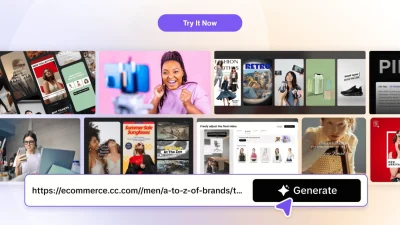
Preparing clean commercial product imagery for Shopify storefronts, Amazon marketplace listings, eBay catalogues, and social marketing campaigns historically required painstaking manual clipping path editing in desktop software like Adobe Photoshop. PicWish AI (developed in 2021 by Wangxu Technology Co., Ltd.) transformed digital image post-production by deploying deep neural networks engineered for instantaneous background removal, portrait sharpening, and AI-generated commercial studio backgrounds in under three seconds.
Serving over 10 million e-commerce merchants, digital creators, and professional photographers worldwide, PicWish processes millions of visual assets monthly across web, Windows, macOS, iOS, and Android ecosystems. Using a verified PicWish AI Promo Code allows online retailers and content teams to secure annual subscription discounts of up to 40% off or unlock discounted pay-as-you-go processing credit bundles, dramatically lowering graphic production costs while maintaining pristine image quality.
BudgetFitter’s hands-on inspection of the PicWish web platform and desktop applications highlights specialised image processing features tailored for modern online sellers and creative studios:
Understanding how PicWish AI structures its editing toolkit across web and desktop applications helps digital merchants choose the right processing tier:
| PicWish AI Utility | Processing Mechanism & Speed | Commercial Use Case | Key Output Benefit |
|---|---|---|---|
| Neural Cutout & Edge Isolation | Sub-second deep segmentation algorithms | Shopify, Amazon & eBay product listings | Crisp transparent PNGs with sub-pixel edge detail on fine hair, furs & glassware |
| AI Studio Background Staging | Physics-accurate shadow & light diffusion | E-commerce marketing & social ad banners | Instant commercial backdrops (marble, wood, podiums) with natural lighting |
| Face Unblur & 4x Upscaling | Super-resolution neural reconstruction | Low-res supplier imagery & vintage scans | Crisp 4096x4096px print-ready resolution without compression artifacts |
| High-Speed Batch Desktop Engine | Multi-threaded local processing | High-volume catalog & seasonal lookbooks | Simultaneous batch editing of up to 30 images in a single pass |
Before selecting a subscription or credit pack, BudgetFitter’s commercial software reviewers highlight these practical considerations:
To extract peak commercial value from your PicWish investment, apply these recommended practices:
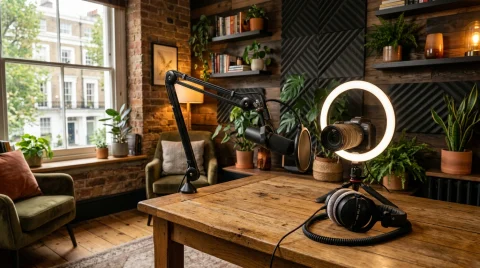
To discover more savings across ai creators & generators, explore BudgetFitter’s canonical AI Creators & Generators Hub. Shoppers and professionals investing in PicWish AI can also optimise everyday value with verified complementary lifestyle and workflow partners, including OBSBOT for professional studio recording and creator hardware, Pacdora for creative design suites and digital media assets, Sign.Plus for smart document workflows and PDF management, Restream for keyword tracking, social management, and SEO intelligence. and SmallRig for professional camera cages, mounting rigs, and creator video studio accessories.
Clear answers on PicWish AI voucher codes, checkout terms, and verified savings.
PicWish AI is a multi-platform image editing suite powered by deep learning neural networks that automatically isolates subjects (including complex hair and glass textures) and removes backgrounds in under three seconds with sub-pixel precision.
Yes. PicWish provides free web-based tools for single-image background removal and basic photo enhancement with standard-resolution exports, while Pro plans unlock high-resolution batch processing and AI studio backdrops.
Each high-resolution image processed or enhanced consumes one credit. Users can subscribe to monthly Pro plans (500 to 1,000 credits/month) or purchase lifetime pay-as-you-go credit bundles that do not expire monthly.
Yes. The PicWish desktop application for Windows and macOS supports batch editing of up to 30 images simultaneously, applying background removal, canvas resizing, and custom margins across entire product collections in seconds.
You can follow PicWish AI on BudgetFitter by clicking the heart or bookmark icon on this brand page. Verified discount codes, annual savings of up to 40% off, and credit bundle offers will appear directly in your personalised Deal Feed.
In-depth articles related to PicWish AI and similar brands.
Content Blocker Detected: To ensure your discounts for PicWish AI apply and our reward tracking system function correctly, please pause your ad blocker or privacy extension for BudgetFitter.