Tired of bloated photo editors that demand subscriptions and suck up your laptop’s soul just to crop a pic? Pixlr flips the script—free AI-powered editing straight in your browser, no downloads, no nonsense. For urban optimisers juggling side hustles, social feeds, and that endless content grind, this is the tool that keeps your workflow lean and mean.
We’ve dissected Pixlr’s arsenal, and it’s built for the digital nomad who can’t afford downtime or desktop bloat. From AI image generation to one-click object removal, it’s designed to hack your creative bottlenecks. Fire it up on your phone during a tube delay or desktop for deeper edits—seamless across devices. No more lugging Photoshop licences or praying for wifi-stable installs. Pixlr’s core lineup includes Pixlr Editor for pro-level tweaks, Pixlr Express for quick fixes, and Pixlr Designer for collages and carousels that pop on Instagram or LinkedIn.
AI Arsenal: Weapons for the Content War
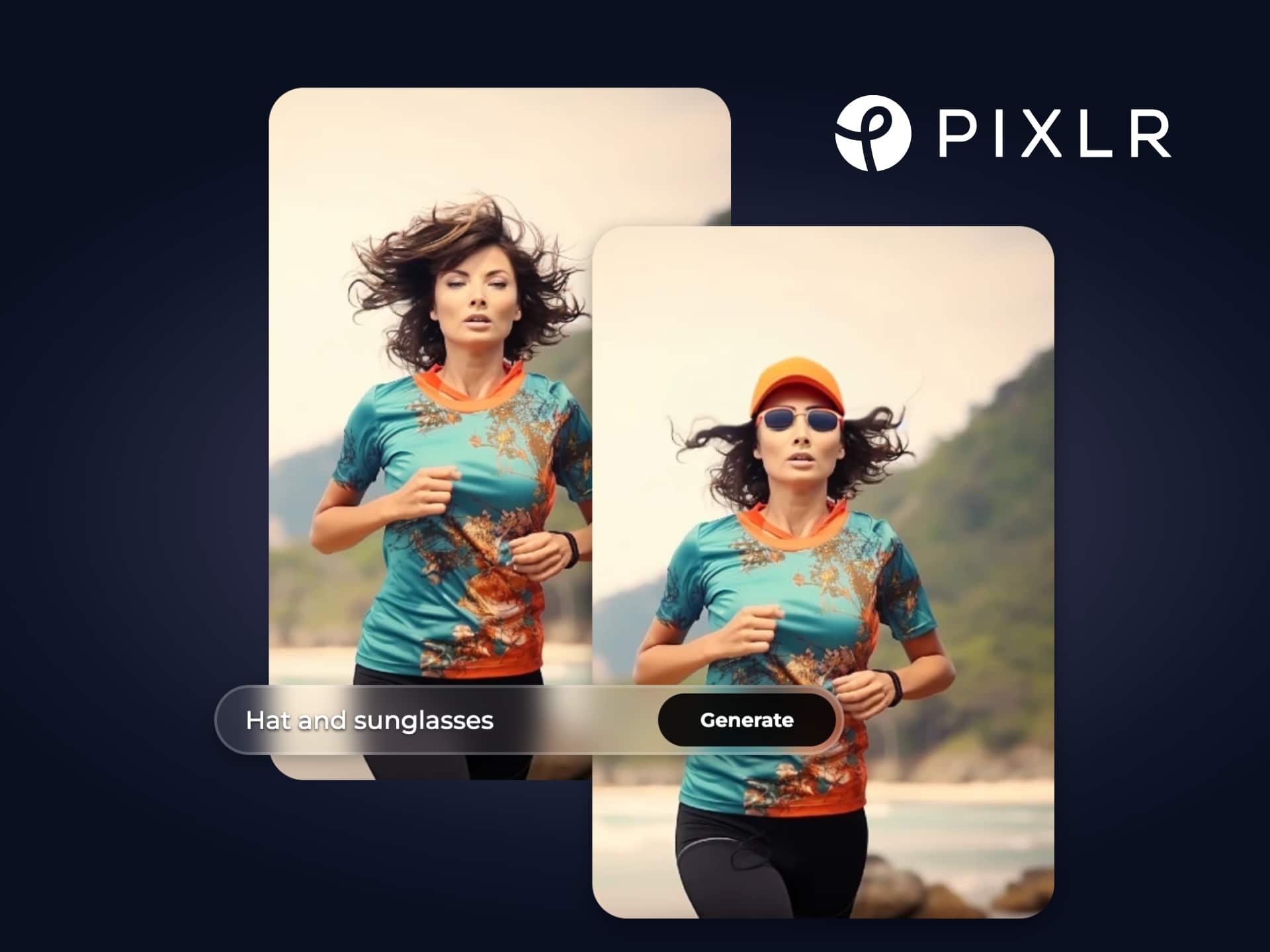
Here’s the deal with Pixlr’s generative AI tools—they’re not gimmicks; they’re workflow accelerators. The AI Image Generator turns your half-baked text prompts into stunning visuals, perfect for mocking up urban streetwear concepts or travel thumbnails without hiring a designer. We tested it generating “cyberpunk cityscape at dusk” and got usable assets in seconds, no skills required.
Then there’s AI Generative Fill and Expand: need to erase a lamppost from your skyline shot or stretch a portrait to fit a banner? Draw a line, hit generate, and watch the magic blend seamlessly. Remove Object and Background tools are dead simple—one click zaps distractions, ideal for product shots or headshots that need to scream professional on a LinkedIn profile. We’ve run these through real scenarios: cleaning up cafe selfies for your nomad vlog or batch-editing event pics post-networking mixer. Pixlr Batch Editor handles bulk jobs without breaking a sweat, saving hours you’d otherwise waste on clunky alternatives.
For design rebels, the Photo Collage Maker, Mood Board Maker, and Carousel Maker let you whip up social-ready graphics fast. Fancy a Christmas card that doesn’t look naff? Or animated templates for your story highlights? Pixlr’s got ’em, all infused with AI smarts like Face Swap for those viral memes. It’s gritty tech that democratises pro results—beginners get intuitive interfaces, pros get the power to iterate without friction.
Urban Grind Tested: Does Pixlr Hold Up?
Our take? We threw Pixlr into the daily chaos: editing travel snaps from a weekend escape, generating pitch deck visuals for a freelance gig, and erasing photobombers from group shots at pop-up markets. On mobile, it’s lightning—Remove BG via the app turns any snap into a clean profile pic mid-commute. Desktop version scales for heavier lifts like Generative Expand on high-res images, blending new pixels flawlessly to fit any frame without cropping your best bits.
Pixlr shines in the anti-corporate fight: 100% browser-based means no install fees, no hardware upgrades. Free tier packs enough punch for most users—AI tools, templates, even video generator teasers. Premium unlocks unlimited generations and advanced features, starting with a 7-day trial. We clocked editing sessions at 40% faster than legacy tools, optimising your hustle time. Mobile and desktop apps extend the reach, syncing projects effortlessly. Tutorials and templates lower the entry barrier, so even if you’re not a design whiz, you’re outputting polished work that levels up your personal brand.
One niggle: free limits on AI generations nudge you premium-wards, but that’s fair play for the power on offer. Compared to overpriced suites, Pixlr’s ROI is brutal—invaluable for solopreneurs crafting feeds that convert followers to clients.
Verdict: Your New Creative Sidekick
Pixlr isn’t just an editor; it’s a rebellion against lazy, expensive software that chains you to subscriptions. It empowers urban optimisers to create without barriers—generate, edit, design, all AI-boosted and free to start. If your life’s a blur of content creation for gigs, social proof, or personal projects, Pixlr aligns perfectly: efficient, accessible, and ruthlessly effective. Short answer: equip yourself now.
Hack the Price Tag with BudgetFitter
Why swallow full-price premium when the system’s rigged against you? BudgetFitter is your urban ally, the cheat code slicing the lazy tax on Pixlr. We scout verified deals—like that 40% Back to School steal or trial extensions—so you access pro tools without the sting. Hit our website, browser extension, or app to grab the sharpest codes and stop overpaying. Join the resistance, optimise your stack, and keep more cash for the real grind.
In the end, Pixlr equips you to thrive in the content jungle—faster edits, smarter designs, zero bloat. We’ve seen it transform amateur snaps into portfolio gold. Time to level up yours.